Preview page planning sheet
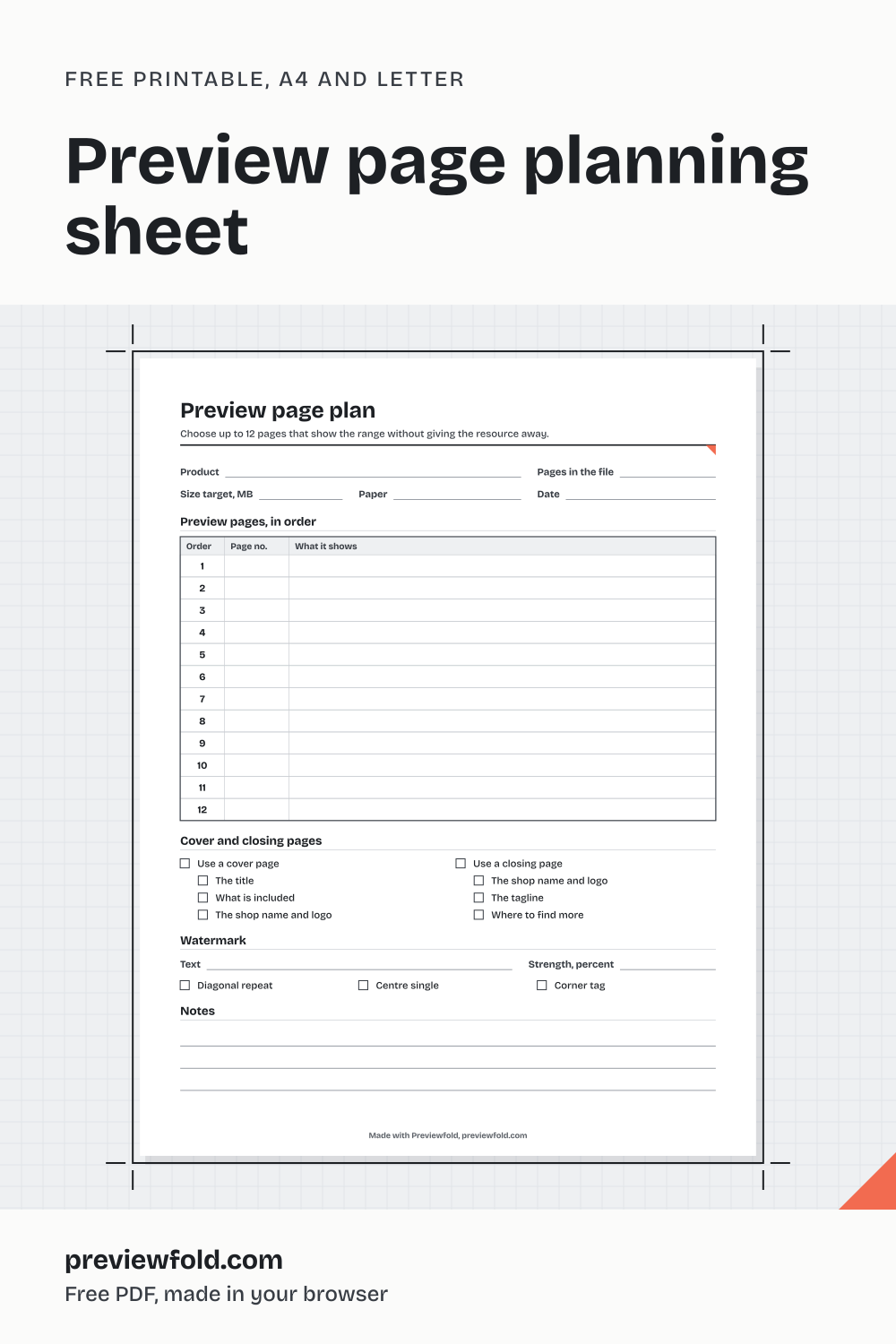
A sheet for planning a listing preview on paper: which pages to show and in what order, what each one shows, the cover and closing pages, the watermark and the file size. It is for sellers who want to decide the preview before they sit down to make it.
Download it
Preview page planning sheet, 1 page, made in your browser.
What is on the page
- Lines for the product, its page count and the size target
- A table of 12 preview pages: order, page number and what it shows
- The cover page and the closing page, with what goes on each
- The watermark: its text, its style and its strength
- Lines for notes
The PDF is made in your browser when you press Download, in A4 or Letter, with the text set in real type so it prints sharp. It is free to print and use for your own shop. Free downloads carry a small credit line in the page footer: Made with Previewfold, previewfold.com.
Then make the listing images
The listing kit maker turns the PDF you sell into a watermarked preview PDF, square thumbnails and pins in your brand kit, in this browser. Previewfold lays out your own pages. It does not write, draw or generate anything. The rules it follows are on how it works; the other sheets are on the printables page.
Previewfold is not affiliated with Teachers Pay Teachers, Etsy, Pinterest, Canva or any marketplace.